Discord Shop Bot Guide: Automate Server Sales Without Ticket Chaos (2026)
By Cartcord team · Tutorial · 2026-11-28
Quick Verdict: DIY GitHub Shop Bots vs Dedicated Store Platforms
Search for discord shop bot on Google or GitHub and two traps appear right away: virtual currency/gacha bots meant for fake server coins rather than real PayPal revenue, and abandoned GitHub repositories asking you to rent a VPS, deploy Express webhooks, store unencrypted API keys, and fix Discord gateway breaking changes yourself.
Meanwhile, manual ticket bots force every ready-to-buy visitor into `#open-ticket`, waiting hours across timezones while staff copy PayPal links, manually inspect screenshots, and hand out ZIPs or VIP roles. Industry estimates consistently show ticket delays cut impulse digital purchase completion in half.
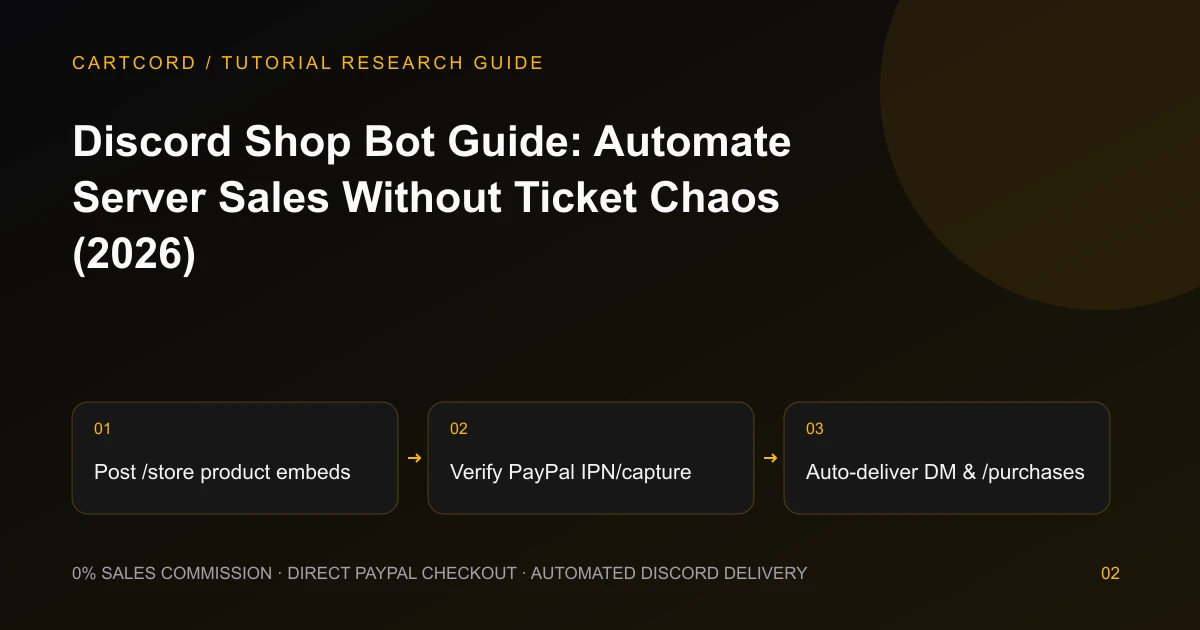
Inviting a production-engineered Discord Store Bot like Cartcord automates native slash commands (`/store`, `/buy`, `/purchases`), instant PayPal capture confirmation, atomic single-use serial locking, encrypted Vault files, and instant buyer role assignment at 0% Cartcord sales commission.
6 Critical Engineering Features Every Discord Shop Bot Needs
Before trusting any third-party shop bot with customer checkouts and server roles, confirm it solves six real production failure points:
1) Native Discord Slash Commands & Channel Panels: Modern buyers expect clean Discord UI buttons and native command autocomplete. Typing `/store` surfaces catalog items with pricing and stock counts, while pinned Buy Now product embeds inside `#shop` convert browsers in seconds.
2) Closed-DM Recovery via `/purchases`: Roughly 30%–35% of Discord users keep 'Direct Messages from Server Members' turned off for anti-spam protection. Naive GitHub bots crash on Discord error code 50007 (`Cannot send messages to this user`), leaving paying buyers empty-handed and opening angry PayPal disputes. Cartcord detects closed DMs, preserves the order cleanly in pending recovery state, and lets any Discord OAuth2 authenticated buyer retrieve their download link, key, or role anytime inside `/purchases`.
3) Atomic Inventory Locking on License Keys: During product launches or flash promotions, two buyers often confirm PayPal orders in the exact same second. Amateur JSON scripts hand both customers serial #1. Cartcord locks single-use serial stock transactionally inside PostgreSQL per captured order so zero duplicate keys ever ship.
4) Role Hierarchy Validation Before Selling: Discord denies permission whenever a shop bot tries assigning a role positioned higher than its own role in Server Settings -> Roles. Pre-audit every sellable VIP tier in seconds with Cartcord's free Discord Role Hierarchy Checker.
5) Direct-to-Seller PayPal Settlement: Customer checkouts route directly into your own connected Live PayPal Business account—zero middleman balance holding or forced multi-week withdrawal delays (standard PayPal processing fees and merchant reserves still apply; seller Stripe checkout is not released yet on Cartcord).
6) Dual Conversion Surface (Bot + Public Google Storefront): In-server commands capture loyal community members, while your clean `/store/your-name` SEO web catalog pulls organic buyers directly from Google search results.
Comparing All 5 Automated Delivery Engines in Cartcord
Cartcord supports five distinct product workflows out of the box—every plan carrying 0% platform sales commission:
• Protected Digital File Vault (Basic $29.99/mo+): Upload PDFs, audio kits, plugins, configs, or archives up to your plan storage limits. Confirmed orders generate temporary expiring Vault tokens locked strictly to that buyer's order.
• Single-Use License Key Pools (All plans including $0 Free): Upload comma/newline batches (`license-key-batch-generator`), monitor low-stock alerts, and optionally validate client keys programmatically via License Verification API.
• Instant & Timed Discord Roles: Automatically assign supporter, customer, or access-room roles, or issue time-limited passes that schedule automatic expiry removal via Cartcord's background worker (Timed Role Passes Guide). Note: role products are one-time purchases or timed passes rather than recurring monthly auto-rebill subscriptions.
• Private Access URL Delivery: Immediately dispatch private documentation hubs, Notion duplicate URLs, or unlisted download links.
• Tracked Manual Service Deliverables: Collect prepaid PayPal funds upfront for custom commissions, bot installs, or graphics work while tracking delivery status cleanly inside your Orders workspace.
Cost Breakdown: Self-Hosting a Bot vs Running Cartcord Free or Flat
Building or maintaining a custom self-hosted Discord shop bot quietly adds up to $10–$20/month in VPS/database hosting plus hours every month patching security bugs, PayPal capture edge cases, and Discord API deprecations—with zero public SEO storefront or dispute evidence logs.
Instead, start completely free on Cartcord Free ($0/mo — 3 products, 5 monthly orders, 0% commission), graduate to Starter ($9.99/mo — 10 products, 35 orders), or scale on Basic ($29.99/mo — 25 products, 150 orders + Vault files + product announcements). Calculate exact net take-home profits in seconds using our PayPal Fee & Profit Calculator.
Channel Setup Blueprint: Structuring Your Server So Buyers Convert Immediately
Merely inviting a shop bot isn't enough if new Discord members land inside twenty unorganized channels. Follow this clean 4-channel conversion layout proven across top-earning stores:
• Create `#rules-and-refunds`: Pin clear refund boundaries generated with our Discord Refund Policy Draft Generator alongside verification instructions.
• Create `#shop-announcements`: Post major product releases, seasonal coupon codes (`Pro $59.99/mo`), and demo clips. On Basic+ plans, Cartcord publishes rich product launch announcements cleanly right inside your designated Discord channels.
• Create `#store`: Lock message sending to admins only (`Send Messages: Off` for `@everyone`), then pin Cartcord's interactive Buy Now panels cleanly so visitors scan every SKU without spam scrolling.
• Create `#buyer-recovery-help`: Pin one friendly banner telling members to run `/purchases` in any allowed bot channel or log in via Discord OAuth2 on the web anytime they turn DMs back on—cutting staff support tickets by 70%+ overnight.
Frequently Asked Questions About Discord Shop Bots
• Can members browse my shop without leaving Discord? Yes—both interactive channel store panels and `/store` commands keep discovery inside your community, transitioning smoothly to verified PayPal checkout with automatic Discord OAuth2 identity linking.
• How do I move off manual ticket bots without confusing existing buyers? Leave `#support` strictly for pre-sales questions or technical support, archive manual ticket checkout buttons, and pin one sleek `#shop` announcement embed built with Cartcord's free Discord Embed Builder plus Announcement Generator.
• What happens if my shop outgrows manual stock uploads? On Cartcord Pro ($59.99/mo), connect external inventory generators straight into your store via scoped Merchant API keys (`products:read`, `orders:read`, `stock:write`). Explore Replacement Ticket Bot Guide and SellAuth & SellPass Alternatives for deeper migration steps.
Read more Cartcord articles