Start with one agreed event time
A community event can have members in New York, London and Sydney. Posting 7 PM without a time zone makes three different promises. Choose the actual instant first: for this example, the event starts on 1 January 2030 at 12:00 UTC. That is a demonstration date, not an upcoming Cartcord event. Replace it with your own schedule.
Open the timestamp generator linked below. Enter the date and time and choose UTC if your schedule was written in UTC. If it was written in your device's local time, select the device time zone instead. Changing that input setting changes which instant you mean; changing the preview zone only changes how the same instant is shown.
Write a short event message that includes the subject, where to join and the timestamp. A member should be able to understand the invitation without opening another page. Keep an explicit UTC time in your planning notes so moderators can cross-check the schedule.
Understand the code you are copying
Discord timestamps contain Unix seconds, optionally followed by a display style. Unix seconds count from the start of 1970 UTC. JavaScript's Date.getTime returns milliseconds, so copying that value directly produces the wrong timestamp. The generator converts the selected instant to seconds for you.
<t:1893499200:F>This example requests a full weekday, date and time for the demonstration instant. Paste the code as a normal message, without backticks or a code fence, to let Discord render it. Each reader's Discord locale and time zone determine the displayed wording and local clock time.
Use the generator's preview selector to compare the instant in several regions before copying. The preview uses your browser's date formatter, so its punctuation can differ from Discord. The underlying instant should remain the same.
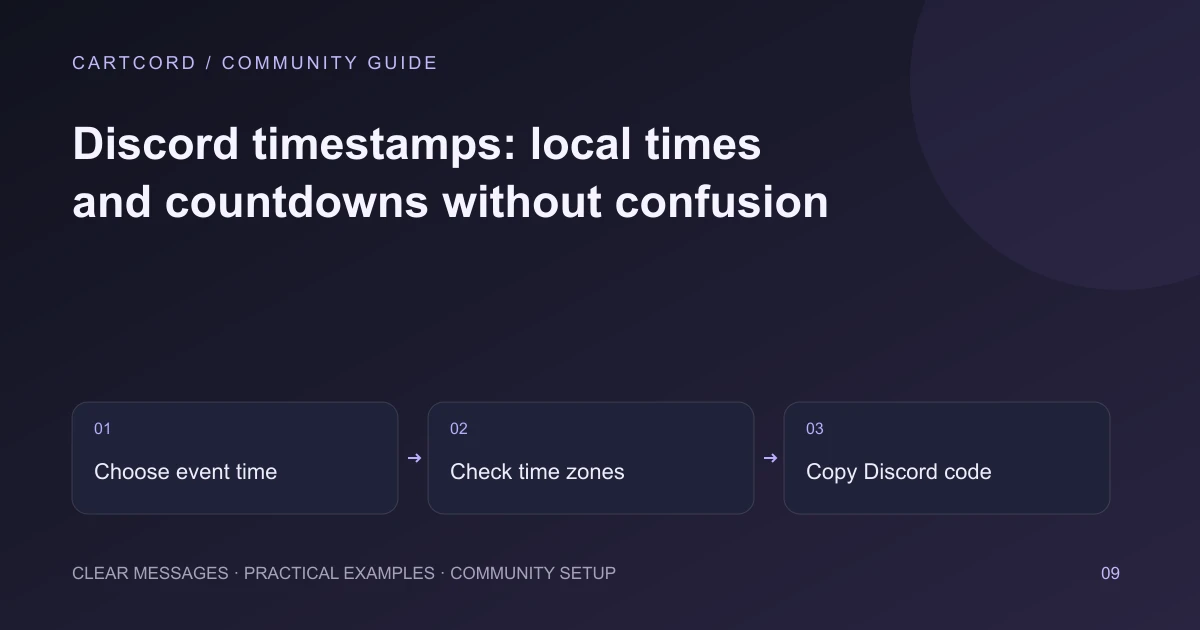
- 01
Choose event time
- 02
Check time zones
- 03
Copy Discord code
Before promoting any digital storefront publicly, verify your full workflow end to end: test Live PayPal checkout using an ordinary non-staff Discord account, check Manage Roles hierarchy above every purchasable role, confirm single-use license key stock or protected download links, and keep delivery recovery instructions clear at /purchases.
Cartcord charges 0% sales commission on flat plans ($0 Free, $9.99 Starter, $29.99 Basic, $59.99 Pro, $129.99 Enterprise), while PayPal processing fees and applicable platform eligibility rules—such as Tebex for FiveM and RedM server monetization—remain the merchant's responsibility.
Technical fulfillment specs: Discord slash commands /store, /products, /buy, /purchases and /help; Discord OAuth2 web authentication; Live PayPal direct payouts; protected Basic+ downloads, single-use CSV license keys with optional Ed25519 checks, Manage Roles grants and Enterprise Fraud Guard webhooks.
Choose a date style or a relative countdown
The current Discord reference lists nine style letters. Lowercase t shows a short time; uppercase T includes seconds. Lowercase d is a short date and uppercase D is a long date. Lowercase f combines a long date with a short time, while uppercase F includes the weekday. Lowercase s combines a short date and time; uppercase S also includes seconds. Uppercase R asks for relative wording.
<t:1893499200:R>Use a full date next to a relative timestamp for an event announcement. The full date provides a stable schedule, while relative wording helps someone checking the message later. A relative timestamp may show a rounded phrase rather than a continuously ticking second-by-second clock.
Letter case matters. Copy the style you need rather than changing letters at random. The generator provides all nine codes for the same selected time, so you can switch presentation without accidentally moving the event.
How do you convert an existing Discord timestamp?
Switch the generator input source to Unix seconds or Discord code. Paste the complete message timestamp or its seconds value, then inspect the time-zone preview and copy another display style. The converter preserves the instant rather than trying to guess a new event time.
A seconds value, a Discord message timestamp and a Discord message ID are different inputs. This tool accepts the first two; it does not decode snowflakes. If a timestamp code is rejected, check its brackets and case-sensitive style letter. Milliseconds, decimal values and scientific notation are not accepted.
For a shared event plan, compare the parsed instant in UTC and the organizer’s region before reposting. The example code in this guide represents 1 January 2030 at 12:00 UTC. Changing a style letter changes the display, not the underlying event time.
Check daylight saving time and common errors
Local clock times can disappear when daylight saving time starts or occur twice when it ends. The generator rejects a nonexistent device-local time. For a repeated time, use an explicit UTC instant to choose the intended occurrence. Do not assume a fixed New York or London offset works throughout the year.
If the message displays the raw code, remove inline backticks and code fences, then check the angle brackets, seconds value and style letter. Copying a formatted example from an editor can introduce spaces or replace punctuation. Test the final message in a private channel where you can send messages.
If the displayed time is wrong but the code renders correctly, inspect the source time zone first. Compare the generator's UTC preview with the event organizer's schedule. Asking members to change their own device clock usually hides the original scheduling mistake.
Use timestamps without promising automation
A timestamp formats an instant inside a message. It does not schedule the message, send a reminder, create a Discord event or expire a role. Those actions need a separate workflow. Include a calendar invitation or event link when your community needs an actual reminder.
For a workshop announcement, combine a descriptive title, a full-date timestamp, the relevant channel and a short preparation list. After publishing, ask a moderator in another time zone to verify the displayed local time. If the schedule changes, edit the original announcement and clearly identify the new time.
The Cartcord generator runs the conversion in your browser and needs no Discord login, bot token or server permissions. Keep account credentials out of timestamp tools. If your community also sells digital products, use the store documentation for that separate setup.
Official sources
Sources checked on 2026-11-09. Review current provider terms before making a decision.
- Free Discord timestamp generatorRelated guide
- Discord text formatting guideRelated guide
- Preview an announcement embedRelated guide
Frequently asked questions
Why does everyone see a different time?
Discord renders the same Unix instant using each reader's locale and time zone. Different clock times can therefore refer to the same event.
Does a Discord timestamp send a reminder?
No. It displays a time. A reminder, scheduled message or role expiry requires a separate feature or workflow.
Should I use seconds or milliseconds?
Use Unix seconds in Discord timestamp messages. The generator converts its selected date to seconds.