Discord webhook vs full Discord bot: pick the simplest tool first
Thousands of developers searching 'how to make discord bots' or exploring no-code 'discord bots maker' tools actually need a 10-line incoming **webhook for Discord** rather than a permanently hosted WebSocket shard process. If your sole goal is posting formatted embeds whenever a GitHub deploy passes, a new PayPal order closes or a monitoring alert triggers, an incoming channel webhook (`discord webhook`) pushes JSON payloads over a single HTTPS POST request with zero bot hosting fees.
Switch to a full Gateway/Interactions Discord application only when users must invoke interactive slash commands (`/store`, `/verify`, `/ticket`), click ephemeral checkout buttons, manage server roles (`Manage Roles`), or verify buyer Discord OAuth2 sessions cleanly.
Step-by-step Discord Developer Portal checklist for clean bot setup
Every custom bot starts inside the official **Discord Developer Portal** (`discord.com/developers/applications`): create an application, store your `Client ID` and `Bot Token` inside environment secrets (never commit tokens to public Git repos!), enable only the exact Gateway Intents required (`Guilds` for slash commands/roles; avoid requesting privileged `Message Content Intent` unless building genuine chat moderation parsing), and generate an OAuth2 invite URL scoped strictly to `bot` and `applications.commands`.
Host HTTP-only Interactions endpoints cleanly on serverless edge or standard Node/Python services by verifying Discord's Ed25519 request signature header (`X-Signature-Ed25519` and `X-Signature-Timestamp`) on every request—Discord rejects endpoints that skip cryptographic signature verification.
- 01
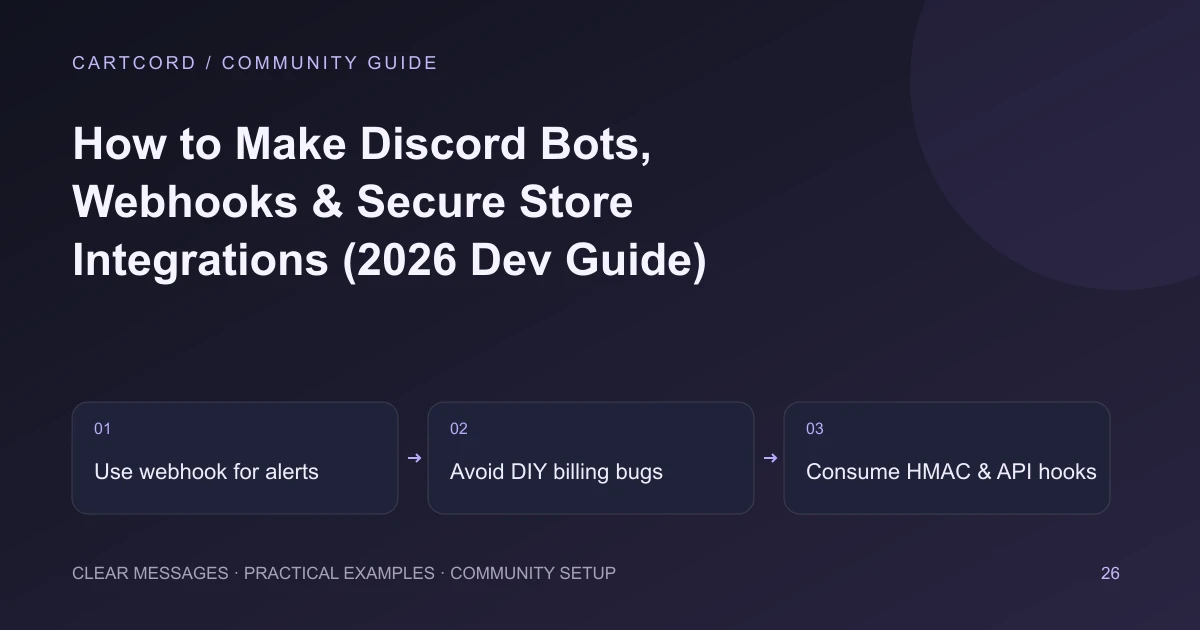
Use webhook for alerts
- 02
Avoid DIY billing bugs
- 03
Consume HMAC & API hooks
Before promoting any digital storefront publicly, verify your full workflow end to end: test Live PayPal checkout using an ordinary non-staff Discord account, check Manage Roles hierarchy above every purchasable role, confirm single-use license key stock or protected download links, and keep delivery recovery instructions clear at /purchases.
Cartcord charges 0% sales commission on flat plans ($0 Free, $9.99 Starter, $29.99 Basic, $59.99 Pro, $129.99 Enterprise), while PayPal processing fees and applicable platform eligibility rules—such as Tebex for FiveM and RedM server monetization—remain the merchant's responsibility.
Technical fulfillment specs: Discord slash commands /store, /products, /buy, /purchases and /help; Discord OAuth2 web authentication; Live PayPal direct payouts; protected Basic+ downloads, single-use CSV license keys with optional Ed25519 checks, Manage Roles grants and Enterprise Fraud Guard webhooks.
Hosting choices: when serverless Interactions win over 24/7 VPS processes
Developers researching how to **host discord bots** reliably run into two distinct architectures: persistent WebSocket bots (`discord.js` / `discord.py` Gateway clients requiring a 24/7 VM, container or daemon on Railway, Fly or Render when listening to real-time message edits and voice events) versus HTTP Interaction Endpoints running effortlessly on serverless functions with zero idle RAM billing when all features live inside slash commands and button modals.
Separating commerce notifications into webhooks and store interactions cleanly avoids running fragile long-lived payment polling loops on free hobby containers that go to sleep mid-checkout.
Why DIY payment bots break during live traffic spikes
Building a hobby status bot takes one weekend; building a production commerce bot that safely handles real money takes months of brittle edge-case engineering. DIY scripts consistently run into four hazards: race conditions when two users buy the last license key simultaneously, webhook double-delivery duplicating PayPal capture records, silent DM failures when buyers toggle Server Privacy Settings off, and leaked PayPal API secrets sitting beside Discord bot code on shared VPS instances.
Rather than reinventing atomic inventory locks, idempotent capture processing and buyer `/purchases` libraries from zero, engineering teams use Cartcord's core commerce runtime (`0%` sales fee) and connect only their custom post-purchase logic via clean REST APIs and signed webhooks.
Integrating Cartcord Scoped APIs, Ed25519 Licensing & Enterprise Webhooks
Stores on Cartcord Pro ($59.99/mo) generate scoped API tokens (`products:read`, `orders:read`, `stock:write`) protected as SHA-256 hashes with instant key rotation—making it simple to push newly built software serial batches into stock pools automatically from CI pipelines or sync order dashboards cleanly.
On Enterprise ($129.99/mo), Cartcord dispatches signed HTTP order events carrying an `HMAC-SHA256` signature (`store.webhook_secret`). Your backend verifies the raw request body signature with constant-time comparison (`crypto.timingSafeEqual`) before provisioning external SaaS workspaces, CDN access tokens or private build permissions—while Cartcord's documented Ed25519 license verification endpoints validate client software keys safely.
Webhook security & rate-limit hygiene checklist
Keep every Discord integration healthy under load by following four operational defaults: respect `X-RateLimit-Remaining` and `Retry-After` headers instead of retrying 429s in tight loops; respond to slash interactions within Discord's 3-second ACK window (deferring before PayPal API calls); log Discord delivery status separately from payment settlement; and never embed raw seller PayPal credentials inside client-side scripts or guild-accessible configs.
Official sources
- Discord Developer Documentation: Receiving Interactions & Signatures
- Discord Developer Documentation: Intro to Webhooks
- Node.js Crypto Module: Constant-Time HMAC & Ed25519 Verification
Sources checked on 2026-11-28. Review current provider terms before making a decision.
- Read Ed25519 signed license verification docsRelated guide
- Audit least-privilege Discord bot permissionsRelated guide
- Format clean bot & webhook embed markdownRelated guide
- Compare Pro API & Enterprise webhook tiersRelated guide
Frequently asked questions
When is a Discord webhook better than building a full bot?
Use an incoming Discord webhook whenever you only need one-way automated posts—like new order notifications, GitHub alerts or status announcements. Build or connect a bot only when users interact via slash commands, buttons or automatic Manage Roles changes.
Where do I create a custom Discord bot application?
Register your application inside the official Discord Developer Portal (discord.com/developers/applications), configure OAuth2 scopes (bot and applications.commands), store your Bot Token securely on a backend server, and verify Ed25519 interaction signatures.
Can I push software license keys to my Cartcord store programmatically?
Yes. Cartcord Pro ($59.99/mo) includes scoped API keys (products:read, orders:read, stock:write) so CI scripts or internal dashboards upload unused serial strings cleanly alongside CSV batch uploads.
Does Cartcord sign outbound Enterprise order webhooks?
Yes. Cartcord Enterprise ($129.99/mo) delivers HMAC-SHA256 signed order webhooks using your configured webhook secret so external backends verify authenticity before provisioning.