The direct answer: start with the service you need
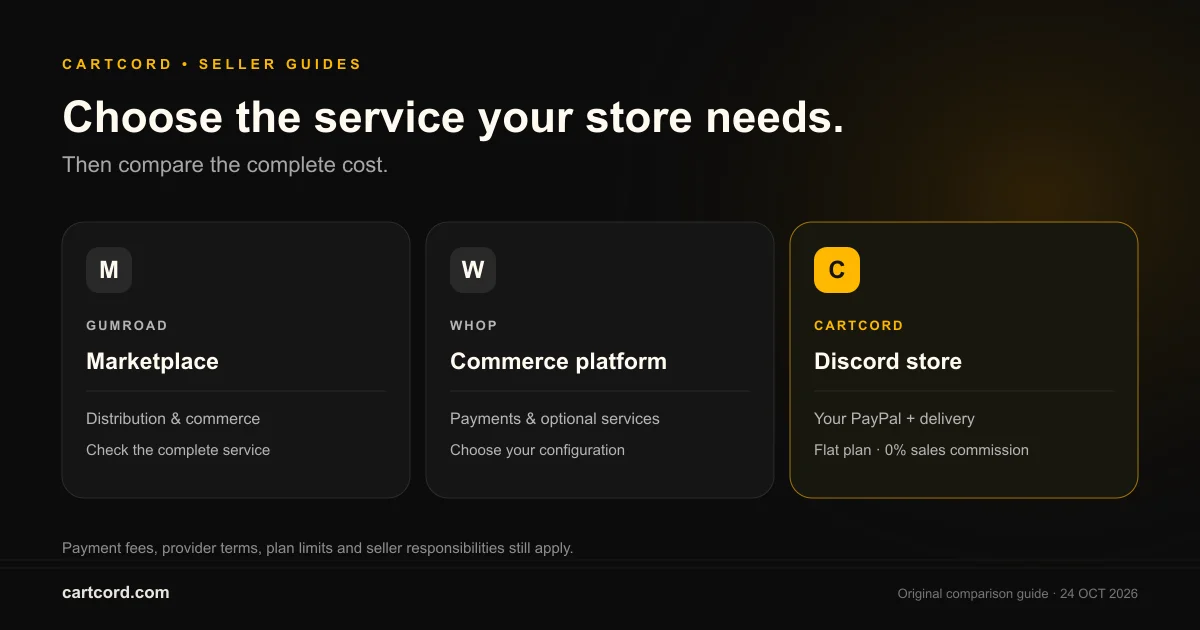
A Discord store bot fits a seller who already has a community and wants product discovery, checkout links, and digital delivery inside that workflow. A marketplace or broader commerce platform may fit a seller who needs its distribution, checkout methods, memberships, or tax services. Compare the actual product and payment flow before comparing a headline percentage. A lower platform fee is useful only when the replacement supports the sale you intend to make.
For Cartcord, the current model is a server plan, direct seller PayPal checkout, and configured delivery of files, links, key-pool entries, one-time roles, or manual work. It is not a seller subscription engine or a merchant-of-record service. That boundary is part of the comparison, even when another service costs more. Do not make a migration decision using features that are only planned.
Separate the storefront, payment provider, and delivery system
A storefront describes what the buyer receives and gives them somewhere to start checkout. The payment provider authorizes and captures money. Delivery then sends the configured content or access. These are three different responsibilities. A paid order does not prove that the buyer received the correct file, and a delivery message does not prove that the seller has unrestricted access to the money. Keep evidence for each stage when comparing a new platform.
In Cartcord, members can browse with /store or /products, then start checkout with /buy or a public product page. PayPal processes the payment into the seller's own account. Cartcord attempts the configured delivery after payment confirmation. A buyer with closed DMs, an unassignable role, or an incorrect seller URL still needs an operational recovery path. Evaluate those failure cases during a pilot rather than evaluating only the successful checkout screenshot.
- 01
Publish your digital product
- 02
Buyer completes PayPal checkout
- 03
Verify the payment
- 04
Deliver the purchase privately
Compare a complete fee scenario instead of a slogan
As checked on 24 October 2026, Gumroad's pricing page lists 10% plus $0.50 for direct/profile sales and 30% for Discover marketplace sales. It also describes its merchant-of-record tax service. Whop's payment pricing lists 2.7% plus $0.30 for domestic card processing, with separate rates or optional charges for other services. Those are different pricing categories; treating either as a universal all-inclusive fee would make the comparison misleading.
Build your own scenario from monthly revenue, order count, average product price, buyer country mix, refunds, and payout method. Include fixed per-transaction fees because they matter more for inexpensive products. Add your selected platform's monthly cost and any services you still need separately. Cartcord takes 0% sales commission, but its server plan and PayPal processing remain costs. PayPal rates depend on the market and payment type; use the terms for your own account.
Work through one example with explicit assumptions
Suppose a seller receives 100 orders at $20 each, for $2,000 in monthly revenue. A hypothetical 10% platform commission costs $200. A hypothetical $0.50 charge on each of those orders adds $50. A flat plan at $59.99 costs that amount before payment processing or other operating costs. These figures illustrate how the cost models behave; they do not establish that two services offer the same tax, checkout, or support responsibilities.
Now change the order count while keeping revenue constant. Two hundred orders at $10 each still produce $2,000, but the same fixed $0.50 charge becomes $100. Also check the replacement plan's order and product limits. A spreadsheet that uses a low monthly plan after the seller exceeds its limits is not an honest savings estimate. The free fee tools let you enter assumptions, but the final decision should use the seller's actual statements and eligible plan.
Match delivery to the product's real entitlement
A downloadable template needs a reliable delivery URL, a clear version, and instructions for opening the files. A license-key product needs a pool of valid keys and an explanation of which software accepts them. A Discord role product needs permission-aware assignment. A service needs a stated delivery process and response expectations. Choosing the wrong delivery type creates support work even if checkout is technically successful.
Cartcord key delivery assigns a seller-supplied inventory entry. Optional signed verification adds device limits and revocation only when your software implements the documented API. The browser key generator alone does not enforce activation. Role products use one-time payments; optional timed passes require an available expiry service. Recurring buyer billing is not released. Check the feature setup, recovery behavior and availability before replacing a workflow your customers depend on.
Payment ownership brings operational responsibilities
Receiving payment through your own provider account gives you a direct relationship with that provider. It also means you need to understand account eligibility, holds, disputes, refund processing, and any responsibilities your business retains. A platform's tax or merchant-of-record service can have value that a simple percentage comparison omits. Ask which party is actually responsible for each part of the transaction and confirm the answer in the provider's terms.
For Cartcord stores, publish accurate product information, permitted-use terms, support details, and a refund process before inviting buyers. Do not promise that a digital purchase is immune from chargebacks or that a delivered file can always be recalled. Keep the order identifier, payment status, delivery evidence, and support history together. Never put payment-provider secrets, license-key pools, or customer details into a public store description, announcement, or bug report.
Migrate a small catalog before moving the whole business
Start with an authorized product export and record each product's name, price, currency, description, compatibility requirements, images, and fulfillment method. Remove discontinued listings and unsupported promises before import. Preserve the old order records and a support route for previous buyers. Moving new sales does not automatically transfer old customer entitlements or cancel the obligations created by those purchases.
The Cartcord CSV migration tool validates draft data locally. It can catch missing names, invalid prices, and unsupported delivery types, but it does not fetch a competitor account or publish into a store. Configure the private file URL, key stock, role, or manual instructions in the dashboard before publication. Pilot a small set of products, verify permission and payment readiness, and compare the buyer-facing description with what the delivery actually contains.
Test buyer recovery and product support before launch
Use a controlled test process that distinguishes a pending payment from a paid order with a delivery problem. Confirm that refreshing or retrying does not create a second charge or consume a second license key. Test role hierarchy, stock exhaustion, and closed DMs. A successful first purchase is only one part of launch acceptance; the seller must also know how to investigate a failure without asking the buyer to pay again.
Buyers should use the same Discord account for checkout and eligible purchase recovery. Put the correct seller support route on the storefront and ask for an order ID when investigating a problem. Check what changes after a refund and what cannot be withdrawn, such as a previously downloaded copy. Do not advertise buyer recurring subscriptions, game-server command delivery, or licensing verification based solely on a plan name, a menu item, or a proposed roadmap.
A decision checklist for your own store
Choose from verified requirements: the product must be permitted, checkout must support your buyers, the payment account must be eligible, delivery must match the promise, and support must remain workable. Compare total costs after those requirements pass. A seller with an established Discord community may value command-based discovery and a predictable plan; another seller may value marketplace acquisition or services that reduce their operational responsibilities.
Keep a short acceptance record with the products tested, payment and delivery observations, plan limits, and the date you checked provider terms. Link buyers to the final public product pages and retire obsolete checkout links carefully. Cartcord's pricing, documentation, solution pages, and free tools can help with that review. The best platform for your store is the one whose demonstrated behavior matches the business you intend to run.
The operating rules that do not change with the niche
For a Discord store, the sale is finished only when PayPal has captured the payment and the delivery you configured has been sent. Cartcord takes 0% of that order. The monthly cost is the server plan, not a slice of revenue. PayPal still charges its processing fee, and that fee is between you and PayPal. Cartcord never holds a balance you later withdraw, so Cartcord does not impose a wallet payout schedule; PayPal can still apply fees, holds or account restrictions.
Keep the command list short when you announce a Discord store. Members run /store to see the shop, /products to browse, and /buy to pay. They can also use the public store URL, which is the address a person outside the server, and a search engine, can open. Do not invent a cart command. Do not ask them to open a ticket to pay for something the bot can already deliver. Tickets stay for support and for the rare order you marked as manual.
Delivery for a Discord store is one of five setups. A file uses an external URL or a Basic+ protected managed version. Managed uploads allow 25 MiB per file and 250 MiB reserved storage per store. A license key is one unused line from the pool, and a resend repeats that same line. A private URL is a link. A role is granted after capture. Optional timed passes require a live expiry service and are paid once, without recurring billing. A manual order stays pending and pings staff with the buyer details and the instructions you wrote. Publish guard is what stops the product going live while PayPal, the delivery, or the stock is missing.
Pick the plan from the order count, not from a feeling about the niche. Free covers 3 products and 3 orders a month. Basic is $29.99 for 25 products and 100 orders. Pro is $59.99 for 150 products and 1,000 orders, and it adds coupons, themes, store docs and scoped merchant API keys. Enterprise is $129.99 when you need unlimited volume, fraud guard, and signed webhooks. The example of 10% on $5,000 is a $500 scenario input, not a statement of any vendor's current rate. Pro is $59.99 and none of the $5,000. Use the fee calculator for your own sales number, and read pricing before you promise a buyer a feature that sits on a higher plan.
When a Discord store is live, check three things after the first real payment. The PayPal capture should show on the order. The delivery status should show sent, or pending if the buyer's DMs were closed. The public store URL should be the same shop the commands show, so a member who shares the link is not sending people to an empty page. If a name looks like a test, a demo, or a sandbox, or the shop has no products, that storefront is noindex and stays out of the sitemap. A real shop with products can be indexed. From any of these guides you can open pricing, the fee calculator, and the solution pages linked under the article.
A clean launch for a Discord store is a short announcement, not a new website. Name the server, list the three products with their prices and whether the buyer receives a file, a key, a link, or a role, and tell them the commands. The announcement generator on the tools page drafts that message. The fee calculator puts a percentage marketplace next to the flat plan so the owner can see the year, not just the first sale. Pricing is the page that states Free, Basic, Pro, and Enterprise without a sales adjective doing the work. Those three links are the next step after this article, and they are the same facts the rest of the site is willing to stand behind.
Buyer recovery, refunds and feature boundaries
Use Your purchases with the original Discord login to recover eligible content. A paid order can have failed, pending or held delivery. Fix the underlying issue and retry the existing order instead of charging again. Basic adds protected file versions, Pro adds API keys for product/order reads and non-key stock updates, and Enterprise adds risk review and signed webhooks.
The merchant issues refunds in PayPal. Verified completed partial refunds preserve access; cumulative full refunds close new delivery access and queue eligible saved role removals through the scheduled access service. New recovery/staff bot commands still have a separate rollout. Existing signed links and downloaded copies cannot be universally recalled. Signed license verification with device limits is available only after developer integration. Optional single-use downloads protect managed uploads, not external URLs. Timed passes require a ready expiry service and are blocked for new setup while it is unavailable. Pro+ creator referrals issue store coupon rewards after qualifying paid delivery; they do not create cash balances or automatic payouts. Basket checkout, component bundles, recurring buyer billing, seller Stripe/crypto checkout, game-server command delivery and automatic booking are not released.
Official sources
Provider information checked on 24 October 2026. Review your own account terms before switching.
Frequently asked questions
Does 0% Cartcord commission mean there are no payment fees?
No. The server plan, PayPal processing, and any applicable taxes or other business costs remain. Cartcord's sales commission is 0%.
Can I move memberships by importing a CSV?
No. A product draft export does not transfer billing agreements, past purchases, or access entitlements. Verify each migration requirement separately.
Is Cartcord currently a recurring role subscription provider?
No. Role payments are one-time. Optional timed passes require an available expiry service, and new setup is blocked while it is unavailable. They do not create automatic renewal payments; seller recurring billing is not released.
Where can I check the current comparison assumptions?
Use the official provider pricing links below and your own account terms. Rates and available services vary by country and configuration.